
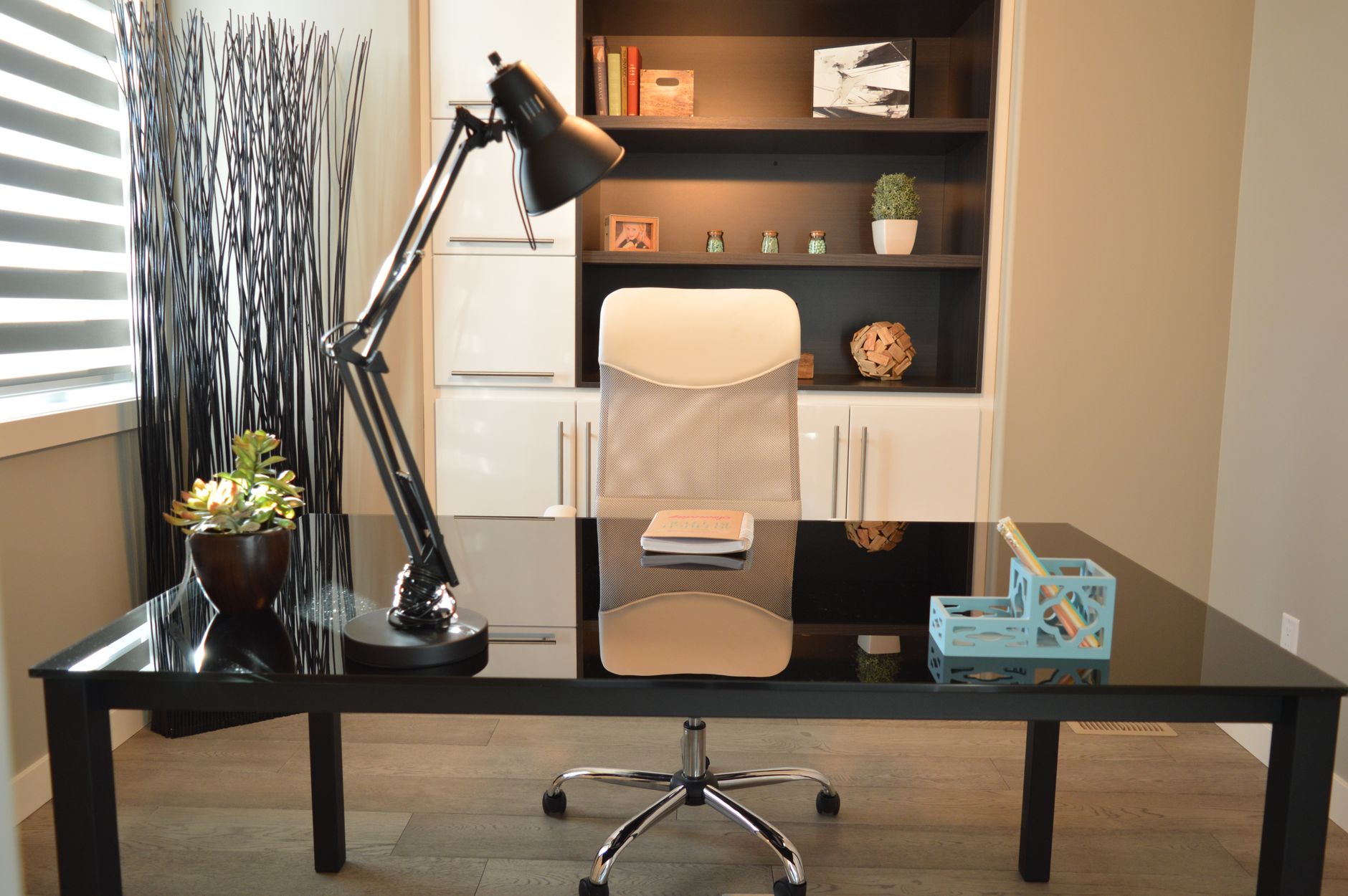
Setting up a home office means combining a suitable location, furniture dimensions that match actual use, and lighting that protects visual comfort over time. This guide covers the benchmarks to follow to turn a corner of a room into a functional workspace, from choosing the location to storage, including furniture ergonomics.
Ideal home office dimensions and layout
Before choosing furniture, it helps to know the sizing benchmarks that support correct posture and clear circulation around the workstation.
| Element | Recommended size | Why |
|---|---|---|
| Desk height | 73 to 75 cm | Standard height compatible with most adjustable office chairs |
| Desk width | 115 to 120 cm minimum | Fits a screen, keyboard and documents without crowding |
| Desk depth | 50 to 65 cm | Varies with screen size and recommended viewing distance |
| Clear space behind the chair | 90 to 100 cm | Needed to push back, stand up and turn without feeling cramped |
| Chair seat height | Adjustable, typically 40 to 50 cm | Fits the desk height and the user’s body |
These benchmarks are a starting point; they should be adjusted based on the number of screens, a second workstation, and the space actually available in the room.
Choosing the location for a home office
Location shapes daily comfort and the ability to concentrate. A corner away from high-traffic areas, such as the entrance or living room, limits visual and noise interruptions. When the room does not allow for this, a screen, an open bookshelf, or a glass partition can visually mark out the work area without fully closing off the room.
Position relative to windows deserves particular attention. A desk placed perpendicular to a window benefits from natural light while avoiding direct glare on the screen, unlike a desk facing the window or with its back fully to it.
A shared desk in a bedroom or living room
When no dedicated room is available, a desk in a bedroom or living room remains workable as long as the zone is clearly marked out: a different rug, an open bookshelf acting as a divider, or simply furniture in a tone distinct from the rest of the room. This separation helps with mentally switching between work time and rest time, even in a shared space.
Furniture and ergonomics: the essentials
Furniture choices directly affect comfort and health over time, especially for daily use spanning several hours.
The chair, the first investment
An adjustable, swivel ergonomic chair with adjustable armrests protects the back over time. Backrest tilt and lumbar support should adapt to each person’s body, rather than relying on thick padding that does not correct posture.
The desk and its organisation
Beyond the dimensions in the table above, a clear desktop supports concentration. Cables can be gathered with cable clips or a dedicated tray, and only everyday items (computer, notebook, writing tools) stay visible, with everything else stored nearby.
Lighting and natural light
Natural light remains the best option for visual comfort during the day, provided screen glare is avoided by positioning the desk perpendicular to the light source rather than facing it. An adjustable architect lamp adds targeted lighting on the desk for hours when natural light fades, without glaring on the screen or casting shadows over the keyboard.
Storage and desk organisation
Effective storage starts with sorting: only items used daily stay on the desk, while archives and occasional equipment are kept elsewhere. Wall shelves free up desktop space without taking up floor space, which is especially useful in a smaller room.
A closed storage unit placed near the desk allows documents to be sorted by category rather than stacked. This organisation avoids having to search through a pile for a document and helps keep the desktop clear at the end of the day.
Optimising a home office in a small space
In a studio or smaller room, several solutions make it possible to fit in a workstation without sacrificing living space. A recessed wall section, the space under a staircase, or an open closet can hold a fold-down or fixed work surface, enough for a laptop and a few accessories.
Smaller furniture, with a desk depth of 50 cm rather than 65, remains functional for everyday office use while limiting the floor footprint. Storage extending up to the ceiling, if needed, makes up for the lack of floor space for a standard storage unit. Before buying, an online interior planning tool helps confirm that the chosen furniture actually fits the available dimensions, avoiding returns caused by a desk too large for the remaining circulation space.
Decoration and atmosphere to stay focused
Beyond functionality, the overall atmosphere of the space affects the ability to concentrate over time. A light wall tone near the desk reflects natural light better, while a touch of greenery, with one or two easy-care indoor plants, adds visual relief in a space often dominated by flat surfaces and computer equipment.
Personal items, such as a photo frame or a decorative object, are best placed on a shelf rather than on the desk itself, to avoid reducing the usable surface for daily tasks.
Key takeaways
A functional home office rests on four priorities, handled in order: a quiet, well-lit location, furniture dimensions matched to actual use, an adjustable ergonomic chair, and storage that keeps the desktop clear. In a smaller space, the same principles apply at a more compact scale, without needing to sacrifice any of them.
Choosing an ergonomic office chair deserves particular attention, since it shapes comfort over several years of daily use. For professionals equipping several workstations at once, the selection benchmarks for professional office furniture usefully complement this individual approach. In a shared setting, the rules for designing an open-plan office extend the same ergonomics and organisation principles to multiple workstations.
Frequently asked questions
How do you set up a good home office?
A well-designed home office combines four elements: a quiet, well-lit location, a desk sized to fit the screen and daily tasks, an adjustable ergonomic chair, and storage that keeps the desktop clear. The order of priority starts with location, which shapes everything else, then moves to furniture and finally to storage.
What are the ideal dimensions for a home office desk?
A comfortable desk is generally 115 to 120 cm wide and 50 to 65 cm deep, at a height of 73 to 75 cm. About 90 to 100 cm of clear space behind the chair is recommended, so there is room to push back and stand up without feeling cramped. These benchmarks vary depending on the number of screens and the equipment placed on the desk.
How do you set up a home office in a small space?
In a small space, a recessed wall section, the space under a staircase, or an open closet can hold a fold-down or fixed work surface without taking over an entire room. Vertical wall storage frees up desktop space, and smaller furniture avoids blocking circulation. A screen or an open bookshelf can also mark out the work area within a shared room, such as a living room or bedroom.
What tools help plan a home office layout before buying furniture?
Online interior planning tools, free in their basic version, let users recreate the room’s dimensions and virtually position the desk, chair and storage before any purchase. This step helps check the available circulation space and avoid furniture that is poorly sized for the room.
What factors affect the cost of setting up a home office?
Cost mainly depends on the furniture chosen (desk, ergonomic chair, storage), the computer equipment already owned or still needed, and any electrical or lighting work required. A simple setup using existing furniture costs noticeably less than a full build with custom furniture and dedicated electrical installation.